The design process of creating Audit logs for Mindtickle
Type
0 -> 1, Web app feature
timeline
Jan 2022 - Mar 2022
My role
Responsible for the end-to-end design
Team
1 designer, 1 product manager, 1 ux writer, ~7 devs
Background
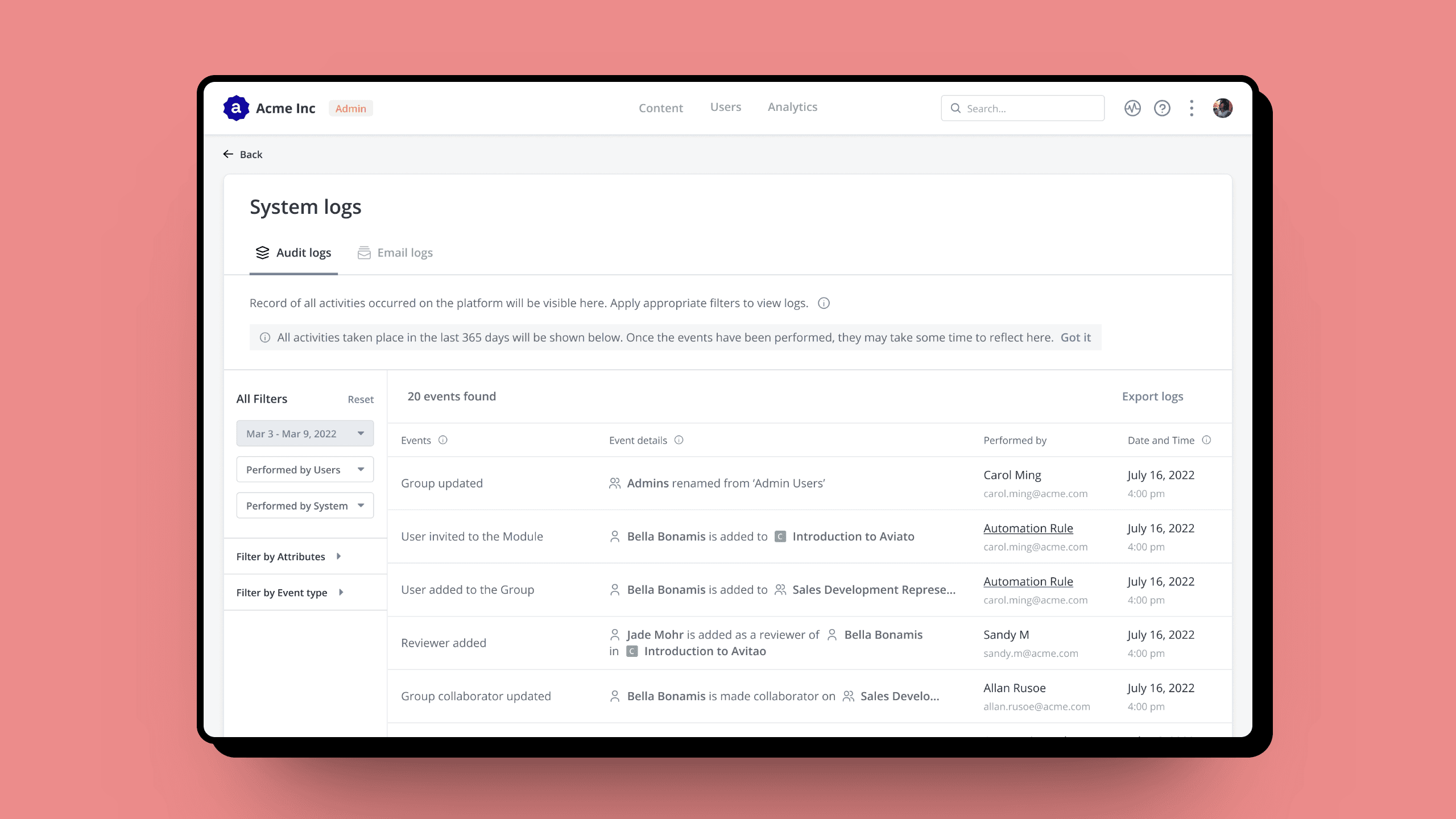
Organisations using platforms like Mindtickle have large admin user base. Tracking all the activities admins do on the platform becomes tedious & complicated. The support team is the one bearing the brunt of solving multiple issues on time by collaborating constantly between customers and developers.
Problem Statement
Site admins require visibility into all user activity on Mindtickle's admin platform.
Design Process
🗣️ Secondary research
📱 Market research
🧐 Insight synthesis
🧠 Ideation
📋 Stakeholder review
✨ Hi-fid for MVP
📩 User feedback
🪄 Improvements for next phases
Secondary research
What are the admins looking for?
At first, I found it challenging to create a database that would be easy for users to understand and use. To gain a better understanding of what users were looking for, I reviewed the support requests that were received on a daily basis. This helped me determine the most important information that needed to be highlighted. Additionally, I was conducting market research at the same time.
Understanding customer queries
I reviewed the tickets that the support team received on JIRA, and categorised the requests into three types:
1. Who updated the user's details? : when a user’s details are modified by adding, deleting or updating their profile.
2. Who updated this attribute? : when the content is modified by adding, deleting or updating it.
3. Who updated this user's details and attribute? : when both the above modifications occur together.
Market benchmarking
Competitor products were too technical, eg. Docebo
User-friendly experience of Dropbox, Notion’s activity log
While above options were user-friendly, they were not scalable.
Insights Synthesis
Creating simple patterns for the database
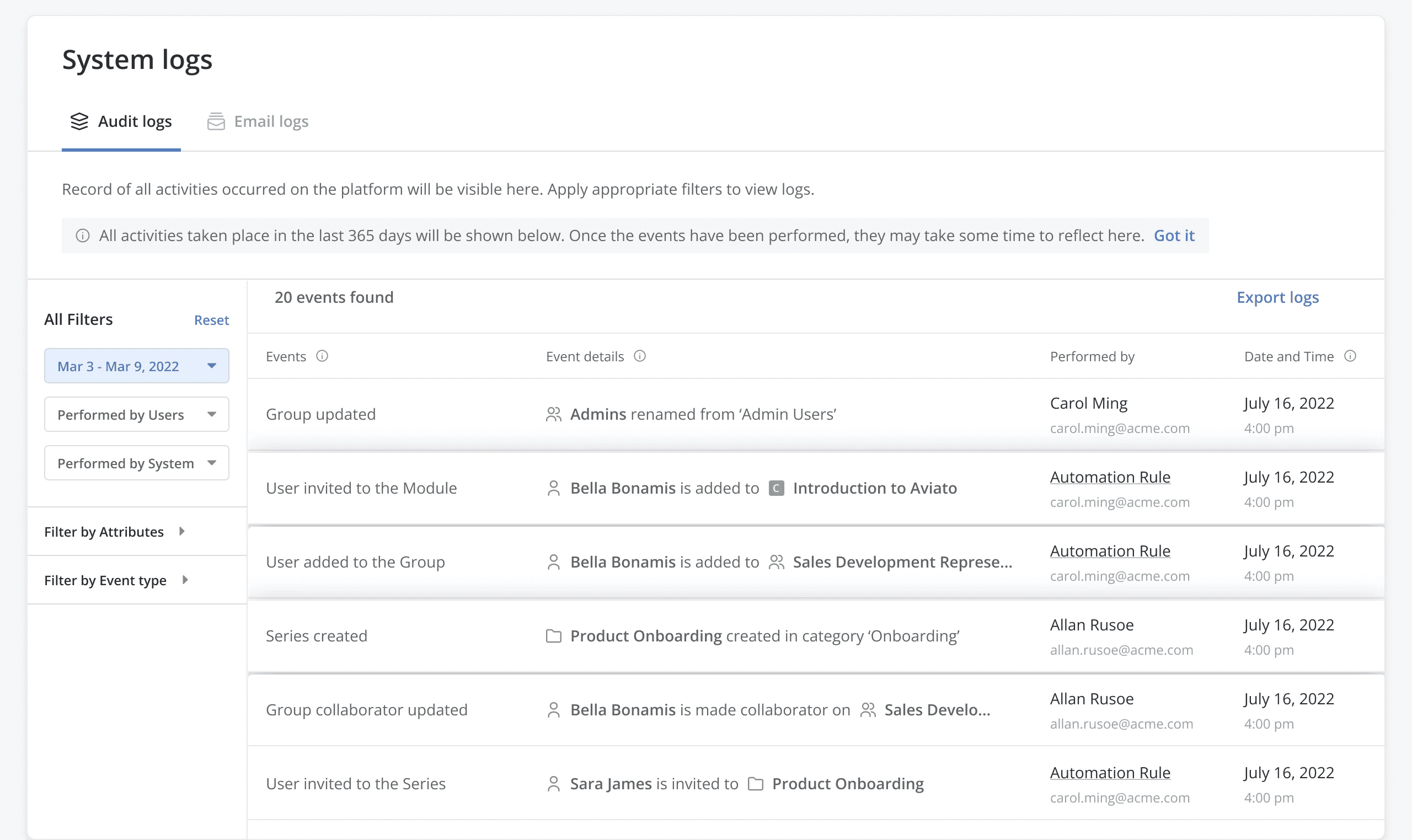
After synthesizing my research findings, I identified patterns that helped me design the layout of the audit logs.
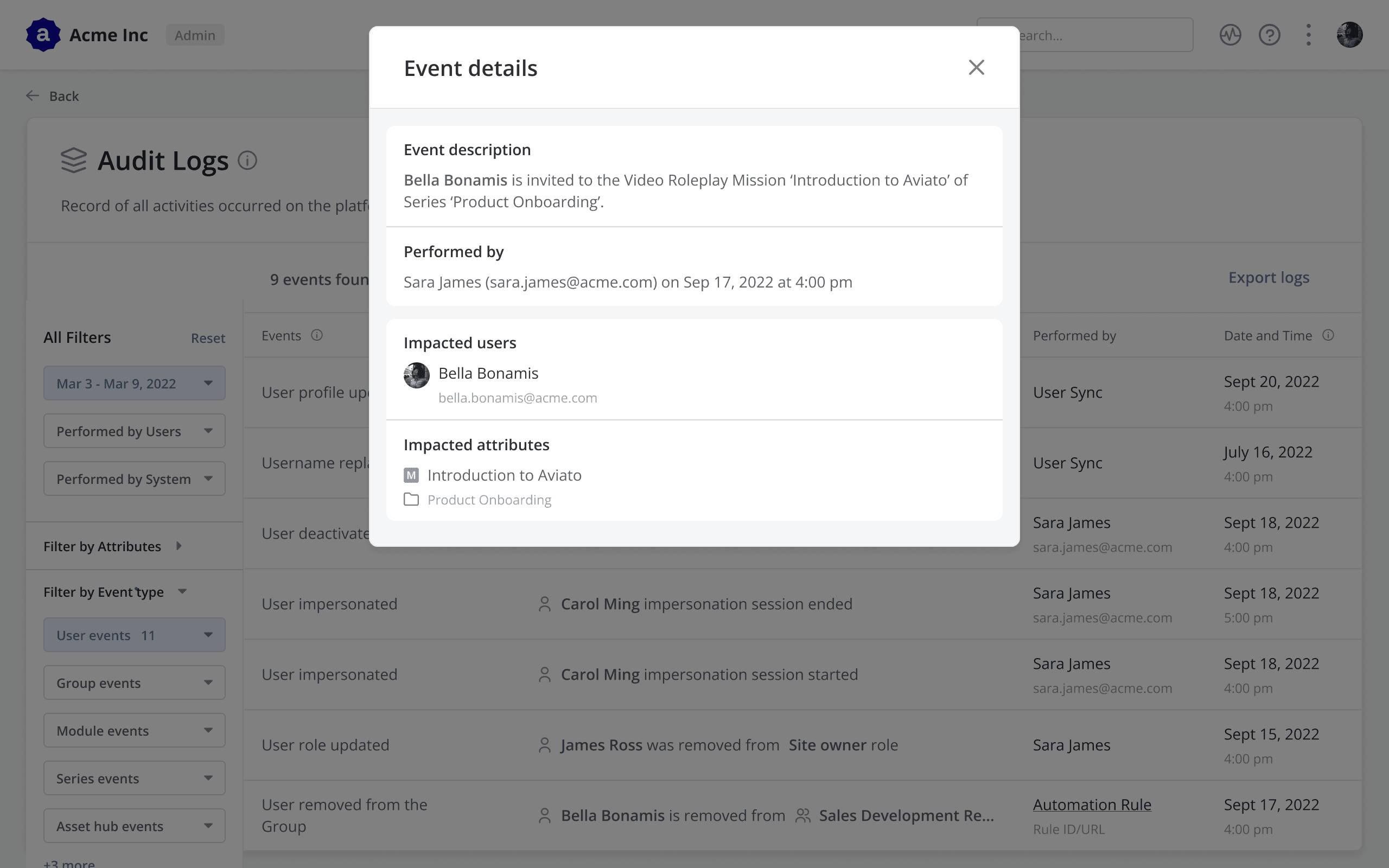
Describe events in laymen language
For administrators, it's easier to comprehend an event when it's explained in simple language rather than technical terminology.
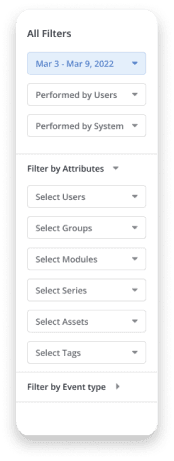
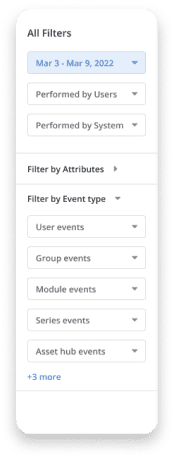
Make filtering through the database easy
A user will either come with all the information or clueless. It's the system's job to make it easy for them to find the exact event that happened.
Show important information upfront
After realising that most of the technical details in the audit logs were useless to the user, I made the decision to display only the necessary information.
ideation
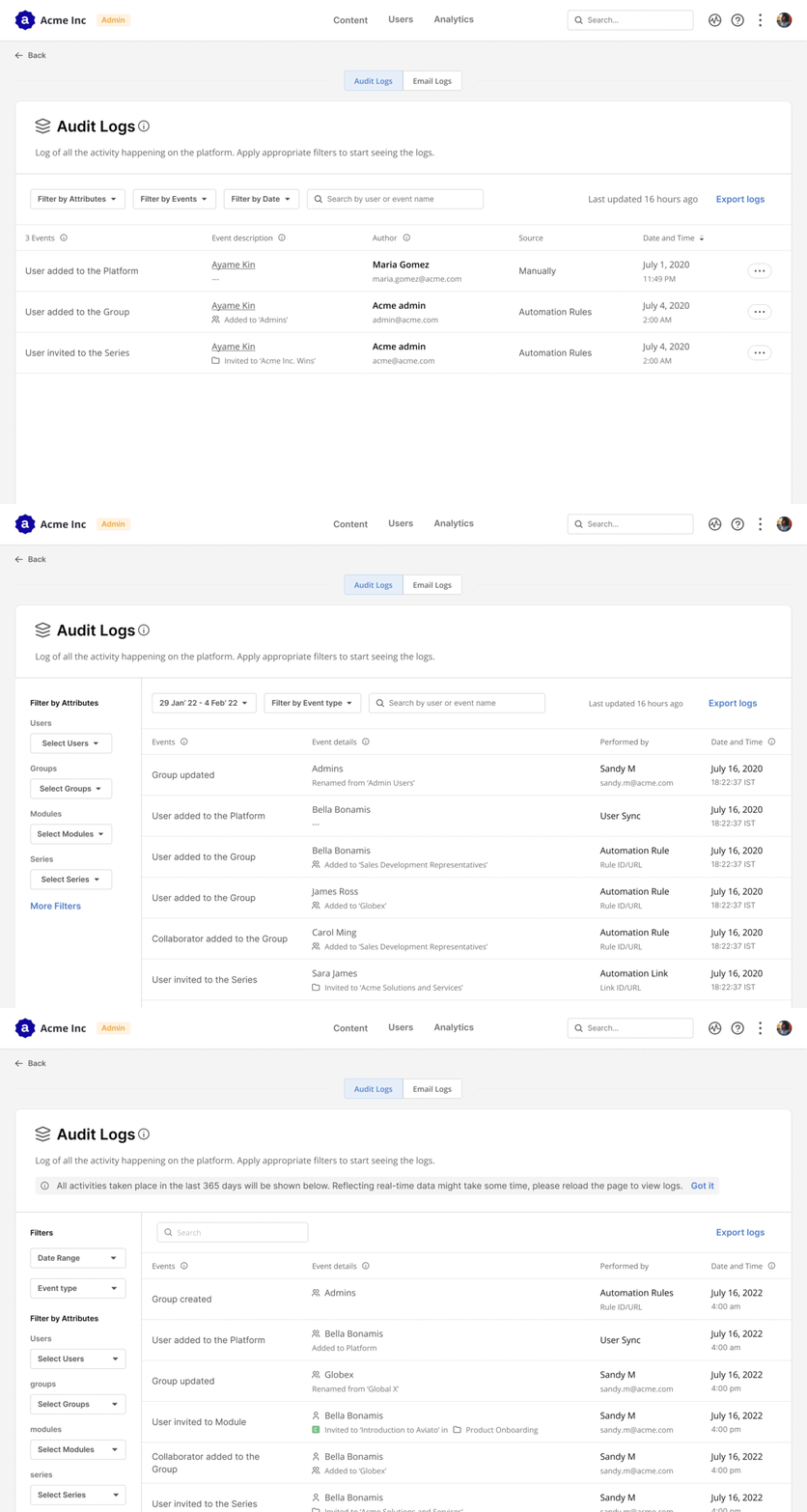
Design explorations
The goal of the audit log design explorations was to create a layout where filters are easily accessible, and the list of events is easy to read.
Business impact
How did audit logs help the business?
Support tickets decreased significantly since admins monitored user activity through audit logs. The most commonly used filter was by user attribute, indicating that most tracked activities were related to user events.
Admin visitors in 6 months
536
From Aug, 2022 - Jan, 2023
Filter by attribute applied
491
Most applied filter was 'filter by user attributes'
learnings
Patterns, patterns, patterns.
Early feedback was instrumental in helping me quickly iterate on initial ideas and prioritize needs, such as easy event details comprehension and quick filtering.
The project's scope was initially to build a minimum viable product (MVP) and then expand it across the platform. To achieve this, a design approach was necessary that prioritised element reusability and easy detail addition. So, I focused on creating sentence patterns for event descriptions which can be reused for scaling.